Q U I E T S O F T™
.
M A T H
.
F U N C T I O N S
.
L I B R A R Y
.
S C R E E N S H O T S
Note: controls, buttons, menus, ribbon, and scroll bars removed from screenshots for clarity.
I N T E R P O L A T I O N
.
F U N C T I O N S
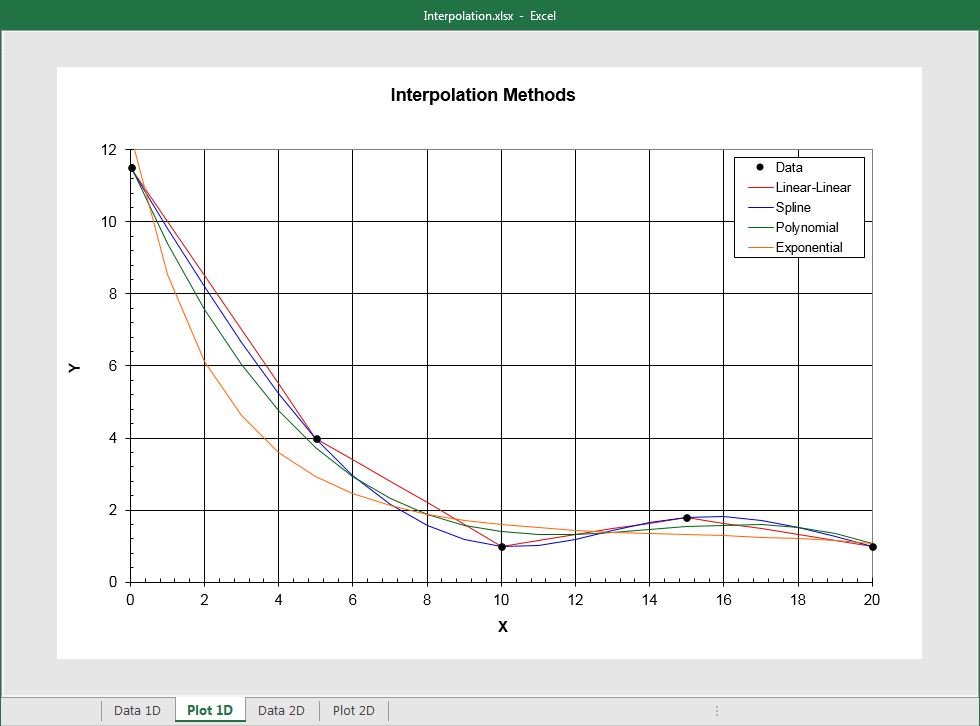
Here is a plot of five data points and four different methods of
interpolating between them. Selecting amongst linear-linear, cubic spline, polynomial, or exponential
interpolation depends on specific needs. In this example, the polynomial and exponential fits are both third
order. Simple log-linear, linear-log, or log-log interpolation methods are also provided. This plot is taken
from the example workbook included with this software product.
R A T I O N A L
.
A P P R O X I M A T I O N
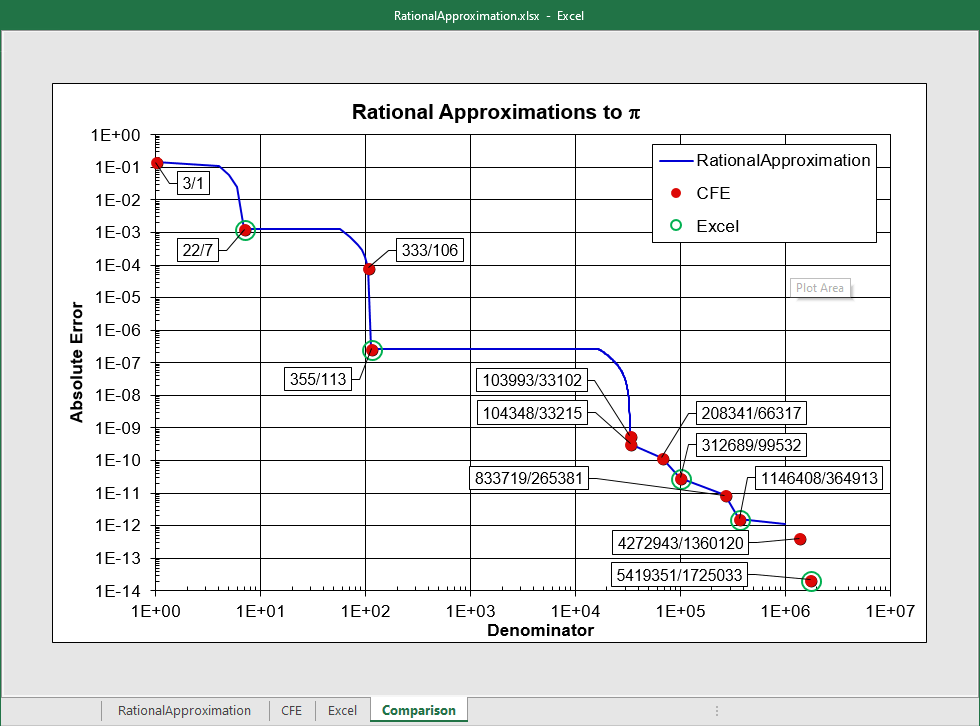
Here is a plot of absolute error versus denominator value for
three methods of approximating the value of π (actually, Excel's PI() function). The solid
blue line ("RationalApproximation") is a brute-force search over a specified range of denominator values; this can be
slow if the range is large. The red dots represent a Continued Fraction Expansion ("CFE") method, which
provides fewer intermediate approximations, but is much faster. The CFE results match OEIS series A001203. The green circles show that results using Excel's fractional formatting capability are a subset of the CFE results. This plot is taken from the example
workbook included with this software product.